
Waveform viewer
Documentation home · Simulation
Add probes, then choose Waveforms in the bottom panel. Resize the panel upward if signals or controls need more room. The waveform timeline is independent of schematic zoom/pan.
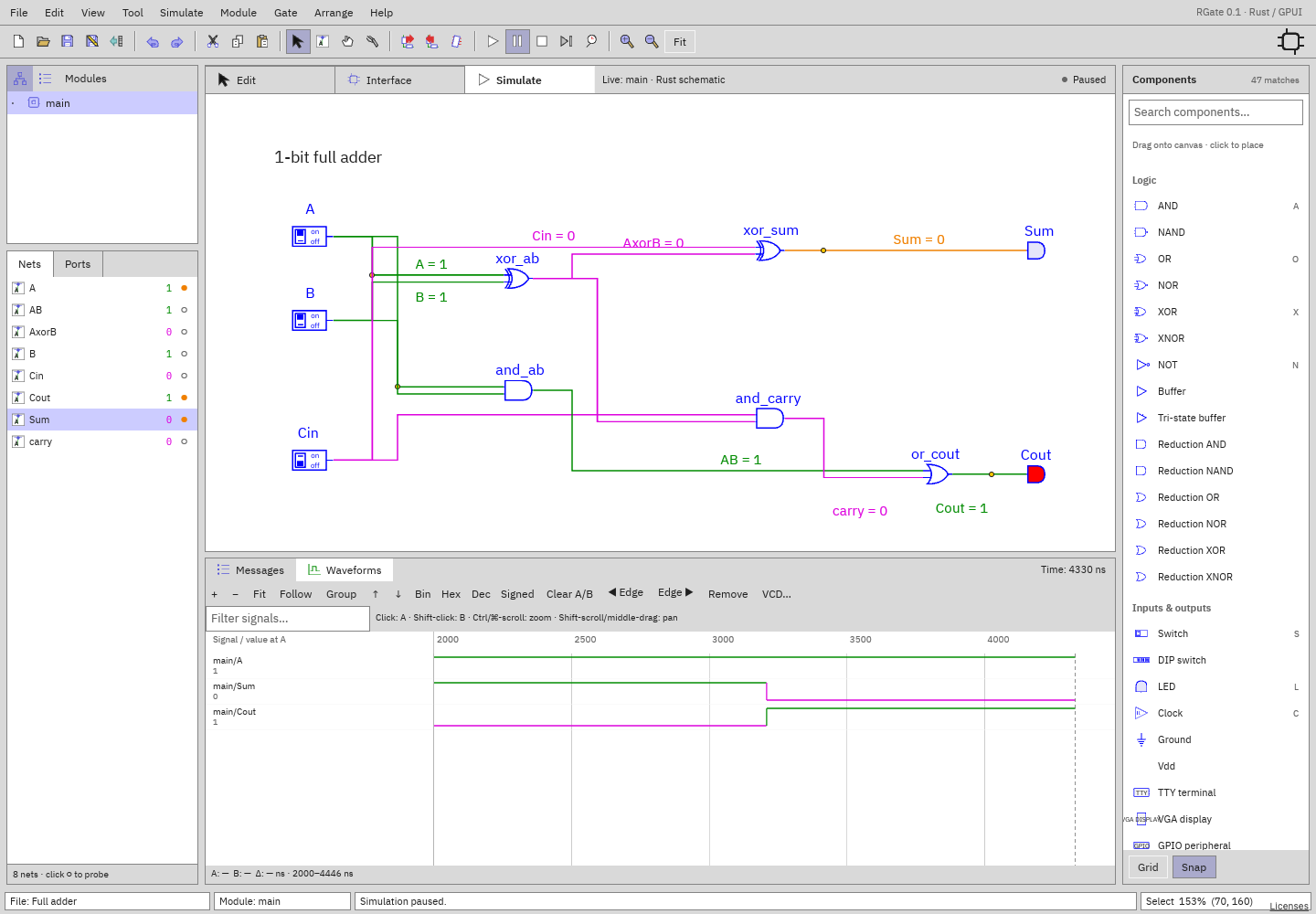
Timeline
| Control | Behavior |
|---|---|
| + / − | Zoom time around the viewport center |
| Fit | Show the available retained time range |
| Follow | Track current simulation time instead of holding a manual range |
| Cmd/Ctrl-scroll | Zoom around the pointer position |
| Shift-scroll / horizontal trackpad scroll | Pan time |
| Middle-button drag | Pan time |
| Ordinary vertical scroll | Scroll signal rows |
Zoom/pan turns Follow off. Ruler tick spacing adapts to scale and width. The footer gives the visible ns interval. Drag the divider between the name column and timeline to resize the label area. The toolbar can scroll horizontally if space is narrow.
Cursors and measurements
- Click/drag in the timeline to place A.
- Shift-click/drag to place B.
- Footer shows A, B, and Δ = absolute time difference.
- Clear A/B removes both.
- Select a signal, then ◀ Edge / Edge ▶ moves A to its previous/next retained transition; the timeline follows that edge into view when needed.
Signal values beneath their names are evaluated at A, or at current
simulation time if A is unset. — means no known sample at that time—for
example A precedes the start of recording. Cursors measure simulation time; Δ is
shown in nanoseconds.
Signal list
Click a signal name to select it. The selected row highlights; controls act on that signal.
- Bin: complete bit pattern, retaining X/Z.
- Hex: hexadecimal known value, or a four-state representation if not wholly known.
- Dec: unsigned decimal.
- Signed: two's-complement decimal.
- ↑ / ↓: move the selected signal in the list.
- Remove: unprobe and remove its current history.
- Filter signals…: case-insensitive hierarchical-name search.
- Group: group by instance-path parent; click a group title to collapse/expand it. In grouping mode the grouping order can take precedence over manual global ordering.
Long names/values are clipped within the resizable label column, separately from waveform drawing. Bus transition labels use each signal's radix; scalar signals are high/low lines. X and Z remain visually distinct; Z is dashed/centered rather than a known low.
VCD export
Click VCD… to export all currently probed traces. Desktop prompts for a
file; browser downloads rgate-waveforms.vcd. Timescale is 1 ns, full
signal names are retained, and X/Z bits are exported. Use GTKWave, Surfer, or
another VCD viewer for offline analysis.
Export includes only retained history: signals begin when probed and older changes are retained up to 4096 transitions per signal. Add at least one probe before exporting.
Persistence
Workspace settings retain timeline range/follow, cursors, column width, filter, radix, order, grouping, and collapsed groups. After a fresh simulation saved probes reattach and begin new traces. Cursor values may be outside new retained history until you Fit or reposition them.