
TTY terminal
Component index · LC-3 example
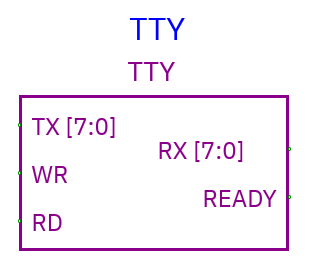
TTY provides host text output and queued keyboard/text input through parallel byte buses. Width is fixed at eight bits. Two protocols are available in Properties; choose one before wiring because the pins change.
Default byte-strobe protocol
| Pin | Direction | Meaning |
|---|---|---|
| TX | Input, 8 bits | Byte the circuit wants to print |
| WR | Input, scalar | Rising edge captures one TX byte |
| RX | Output, 8 bits | First queued input byte, or zero if empty |
| READY | Output, scalar | 1 when input queue is nonempty |
| RD | Input, scalar | Rising edge consumes the current RX byte |
Output example: print A
- Drive TX with
0x41(ASCII A). - Keep WR=0 while data settles.
- Raise WR to 1. One byte is captured.
- Lower WR before the next byte. Holding it high does not repeatedly print.
Unknown TX data at the write edge produces ?. Writing byte 0x0A produces a
newline. Multi-byte UTF-8 sequences can display Unicode when complete; ASCII is
easiest for simple circuits.
Input
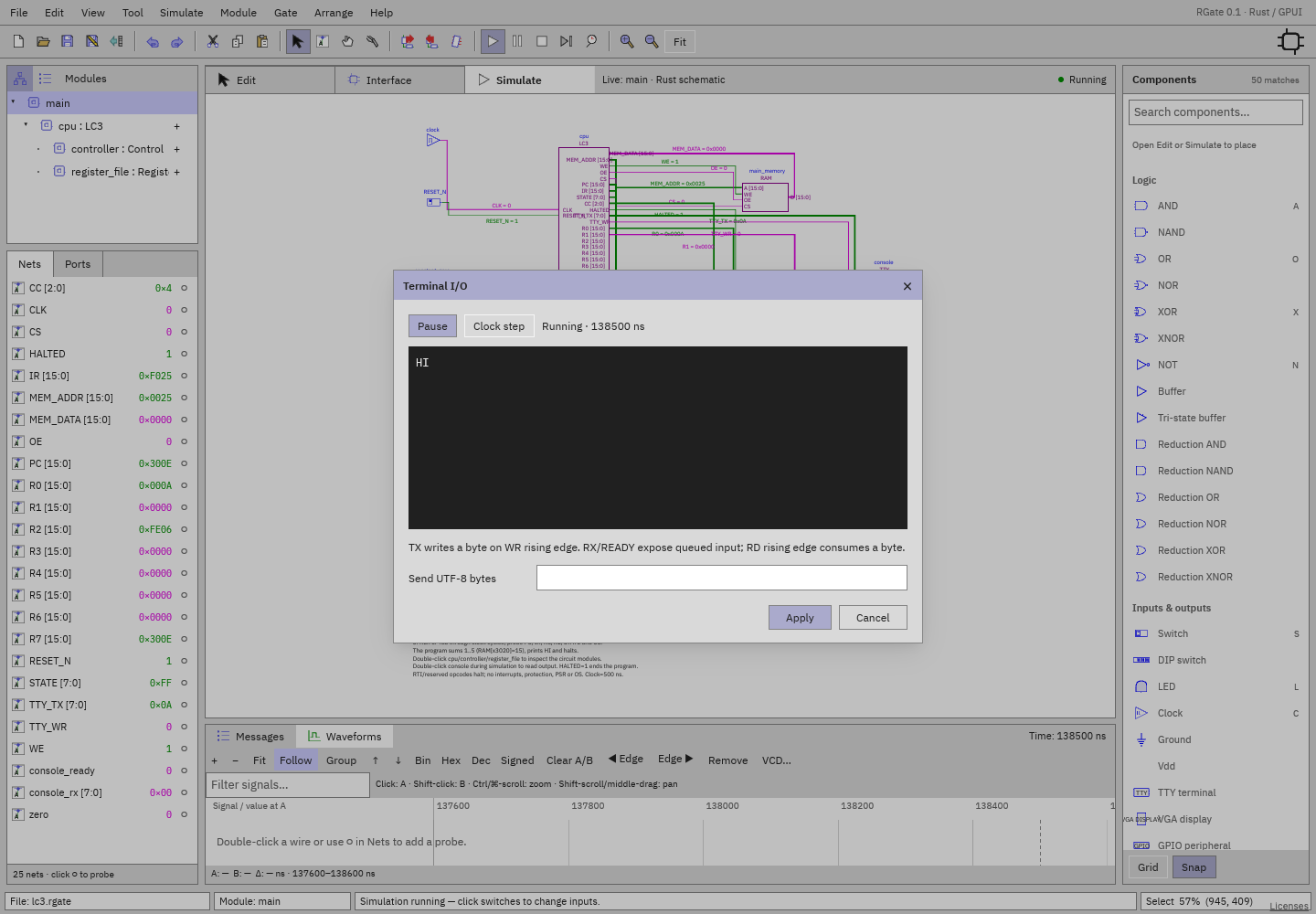
During simulation double-click TTY. Enter text in Send UTF-8 bytes, then Apply. Include a newline in the text when you want to send one. The circuit reads the current RX value while READY=1, pulses RD, and reads the next byte. Non-ASCII characters are multiple UTF-8 bytes. Read RX when READY=1; READY=0 indicates an empty input queue.
TkGate-style handshake protocol
Enable TkGate TD/RD/RTS/CTS/DSR/DTR protocol in TTY Properties.
| Pin | Direction | Meaning in RGate |
|---|---|---|
| RD | Input, 8 bits | Circuit-to-terminal byte (different from scalar RD in default mode) |
| DSR | Input, scalar | Rising edge schedules capture of RD |
| DTR | Output, scalar | Acknowledges known DSR state |
| TD | Output, 8 bits | First queued terminal-to-circuit byte |
| CTS | Input, scalar | Low requests input; rising edge schedules consumption |
| RTS | Output, scalar | 1 while CTS is low and queued input is available |
Capture/consumption and output acknowledgement use scheduled 10 ns delays. Prepare RD before raising DSR; allow acknowledgement/data to settle. For receive, enqueue text, lower CTS, read TD when RTS=1, then raise CTS to consume it.
Live terminal controls
The dialog keeps simulation live. Run/Pause and Clock step operate on the existing simulation, including a TTY inside a live child instance. Time displayed is simulated ns.
The terminal displays received bytes as they arrive. For a recognized root
RESET_N switch held low, the dialog warns the circuit is in reset and offers
Release reset. In the LC-3 example that must be done before instruction
execution.
Apply enqueues text and closes the dialog. Cancel closes without sending. Stop/restart simulation resets queues and output. Save the document to keep the terminal’s wiring and properties.
Save the circuit as .rgate to retain its terminal wiring and properties. TTY
is available in desktop and browser schematic simulations.