
Sequential components and memory
Register
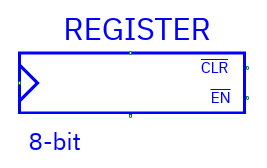
| Pin | Direction | Meaning |
|---|---|---|
| D | Input, data width | Value to store |
| Q | Output, data width | Stored value |
| CK | Input, one bit | Rising-edge clock |
| EN | Input, one bit | Active-low load enable |
| CLR | Input, one bit | Active-low, asynchronous clear |
CLR=0 clears the stored value to zero without waiting for a clock. With CLR=1, a CK rising edge samples D only when EN=0. EN=1 holds the value. Unconnected CLR defaults to 1, EN to 0, and CK to 0. Connected unknown controls can make the result unknown.
Clear a fresh register to establish a known state. Q changes after its output delay. Allow D and the controls to settle before a rising edge.
D flip-flop
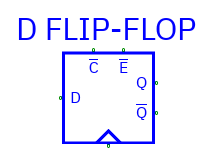
Pins: D, CK, EN, CLR as above; outputs Q and _Q. _Q is the
bitwise complement of stored Q. Behavior, active-low control polarity, and
unconnected defaults match Register. Data may be multi-bit even though the
familiar symbol represents a flip-flop.
Use Register when one output bus is enough; D flip-flop supplies both polarities.
JK flip-flop
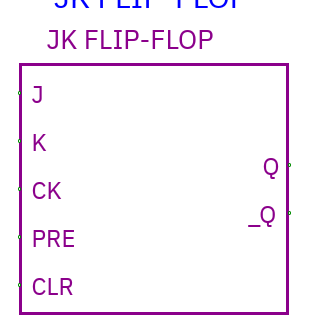
Inputs: J, K data-width buses; CK, PRE, CLR scalar controls.
Outputs: Q, _Q.
With PRE=CLR=1, each bit behaves on CK rising edge as:
| J | K | Q next |
|---|---|---|
| 0 | 0 | Hold |
| 0 | 1 | Reset to 0 |
| 1 | 0 | Set to 1 |
| 1 | 1 | Toggle |
PRE and CLR are active-low asynchronous controls. CLR=0 resets; PRE=0 sets. Both low yields X. Unconnected PRE/CLR default high; unconnected clock low.
RAM
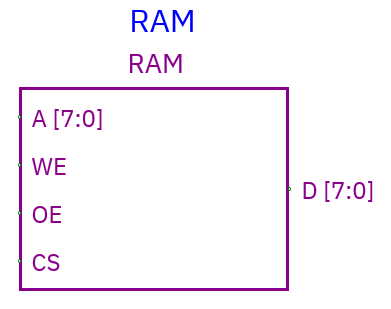
| Pin | Direction | Meaning |
|---|---|---|
| A | Input, 1–32 bits | Word address |
| D | InOut, 1–4096 bits | Write data and driven read data |
| CS | Input, one bit | Active-low chip select |
| WE | Input, one bit | Active-low write enable |
| OE | Input, one bit | Active-low output enable |
- CS=0 and WE=0 writes external data present on D at A. Writes are asynchronous and respond to the active control levels.
- CS=0 and OE=0 drives the stored word onto D after output delay.
- CS=1 or OE=1 releases the RAM's D output; other enabled devices can drive the bus.
- Unconnected controls default inactive/high. Use known address/control values for a valid access. An active write to unknown address invalidates retained contents conservatively.
Safe write/read sequence: disable RAM output (OE=1), drive A/D externally, select/write (CS=0, WE=0); end writing (WE=1), release the external D driver, then read (OE=0). If an external driver and RAM drive incompatible data, the bus resolves to X. Sparse storage supports addresses through xFFFFFFFF without allocating the entire address space.
ROM
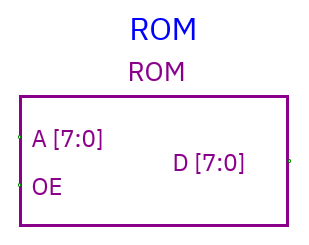
Pins: A address input, D data output, OE active-low scalar input. OE=0 reads; OE=1 releases D to Z. Set the image in Properties or use the runtime inspector to explore different stored values.
Initial images
RAM/ROM Properties contains Address bits, Initial hex words, and Load hex file…. Each word must fit the data width. Unspecified words start X.
41 42 FF        // addresses 0, 1, 2
@0010 AB CD     // addresses hex 10, 11
@FFFFFFFF 12   // valid only with 32 address bits
x z             # whole-word unknown/floating values
Words are hexadecimal, separated by whitespace or commas. @ selects a
hexadecimal word address; comments use // or #. Hex digits are accepted for
widths beyond 64 bits. Load words at the addresses your circuit uses, including
high addresses.
Desktop loads a text file; web uploads it. Apply stores initial contents in the document. Changing data/address widths requires disconnection and an image matching the new dimensions.
Runtime inspection
Double-click RAM/ROM in Simulate to inspect initialized/current words. Enter a decimal address and hex value to edit one runtime word. Current listing is limited to the first 512 stored entries. Edits are volatile: a Stop/new simulation reloads the initial image. To keep contents, update initial Properties and save the circuit.
Set initial memory in Properties and use reset to prepare storage for a fresh run. Save the circuit to keep its configured memory image.